• Home
  • Blog
  • Login
  • Home
  • Platform Documentation
  • Platform Tutorials
  • Module Details
  • Contact Us
  1. Home
  2. Blog
  3. Article

How To Create Api Tokens For Network

21-Jun-2021

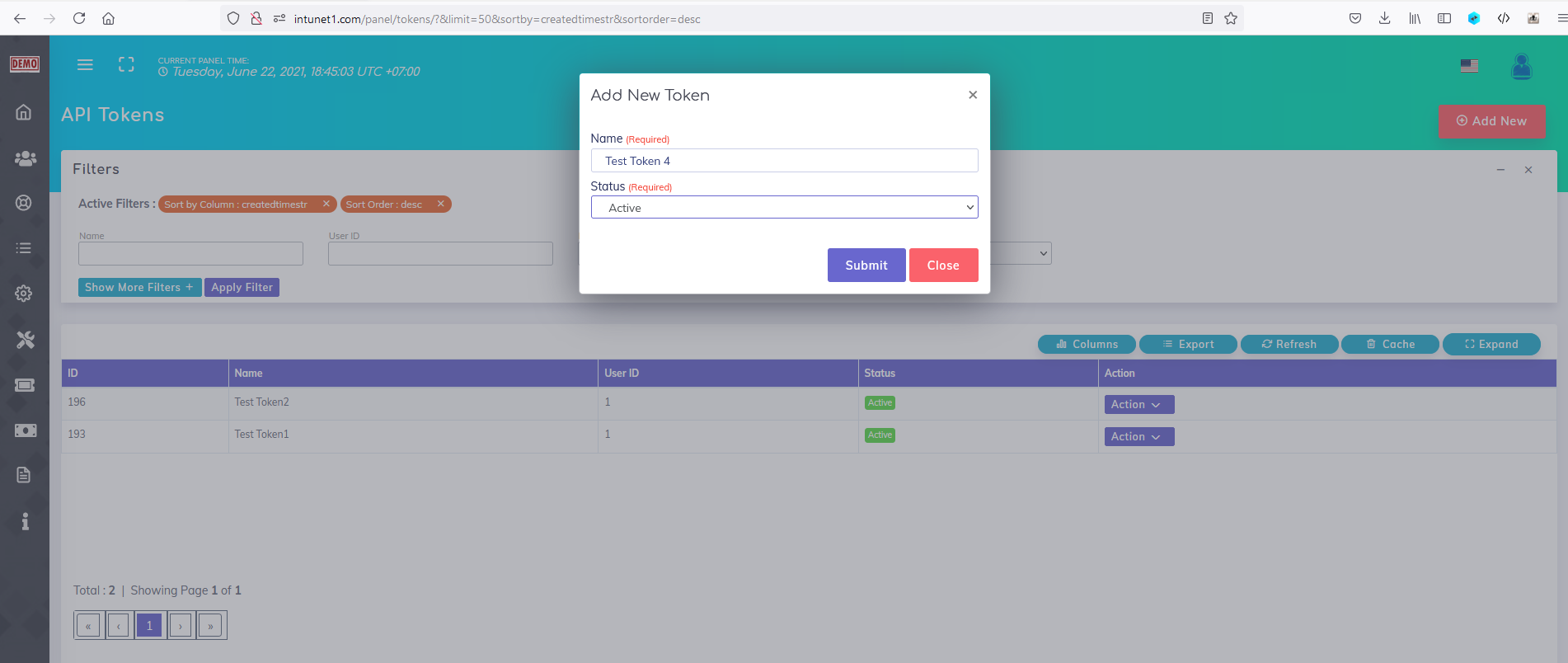
This modules add another page to your panel called 'API Token' .You can access this page by visiting :


Navigation Menu -> Settings -> API Token


Using this page you may create permanent API tokens to grant access to your developers in case you want to consume our APIs directly.cretae_a_api_token_1624362334938099.png

Video Link : https://recordit.co/3MlPlMsY4Y

Categorized as : documentation
Tagged as : tutorials

You may have Missed

How To Check Api Logs

Ticket System For Affiliates

How To Check : OutGoing Postback Logs

How To Create GreenBookLabs Support Ticket

How To Check : Activity Logs

How To Check: Incoming PostBack Logs

How To Delete System Cache

How To Use - Semi-Automated Advertiser Postback Testing Tool

Leave a Reply Cancel reply

Recent Posts

  • Module - Panel System - How To Change Brand Name In Footer.
  • Module - Affiliate System - Change Number Of Offers Displayed In Each Page.
  • How To Adjust Ad System Settings
  • Module - Display Total Users Assigned To Manager
  • Module - Offer System - Offer Approval System For Publishers
  • Performance Marketing ! What Is It ?
  • Module - Affiliate System - Affiliate Featured Offers List
  • Module - Affiliate System - Affiliate Leadership System
  • How To Create Api Tokens For Network
  • Module - Affiliate Extended Profile

Categories

  • Documentation

Tag Cloud

Module Tutorials
greenbooklabs.com

A Performance Marketing And Tracking Platform.

  • Terms & Conditions
  • Code Of Conduct
  • Company Policies
  • Privacy Policy
  • User Agreement
  • Pricing
  • Features
  • Blog
  • Sitemap

ineotron
[email protected]
Head Office - Chhattisgarh, India
Branch Office - Bengaluru, India

Copyright © 2018, All Right Reserved GreenBookLabs